
01 / Annotation
Make your point clear.
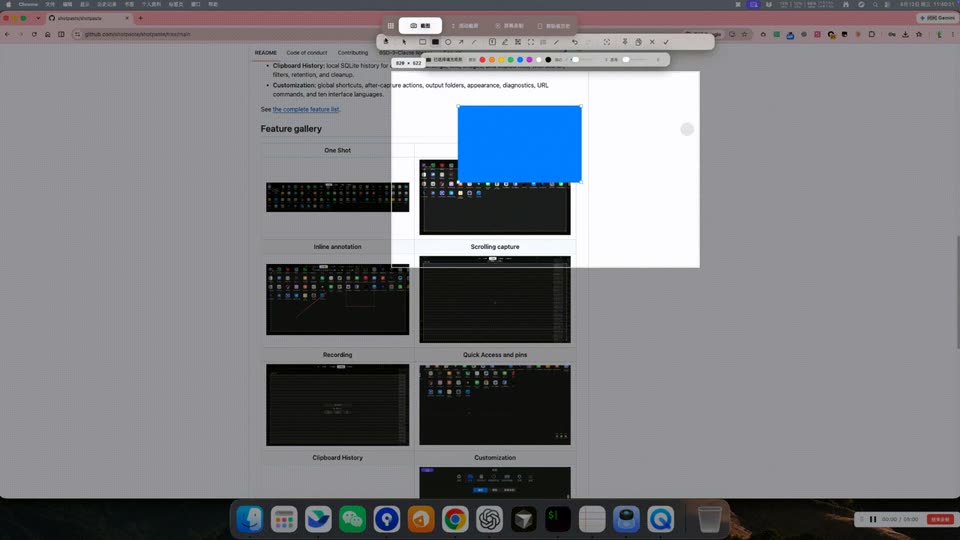
Arrows, shapes, text, highlighter, mosaic, spotlight, counter, and pencil — single-key tool switching, with undo and redo.
Open-source screen capture · macOS & Windows
Screenshots, annotation, scrolling capture and recording. One open-source toolkit for your everyday screen work.
FEATURE OVERVIEW
Arrows, shapes, text, highlighter, mosaic, spotlight, counter, and pencil — single-key tool switching, with undo and redo.
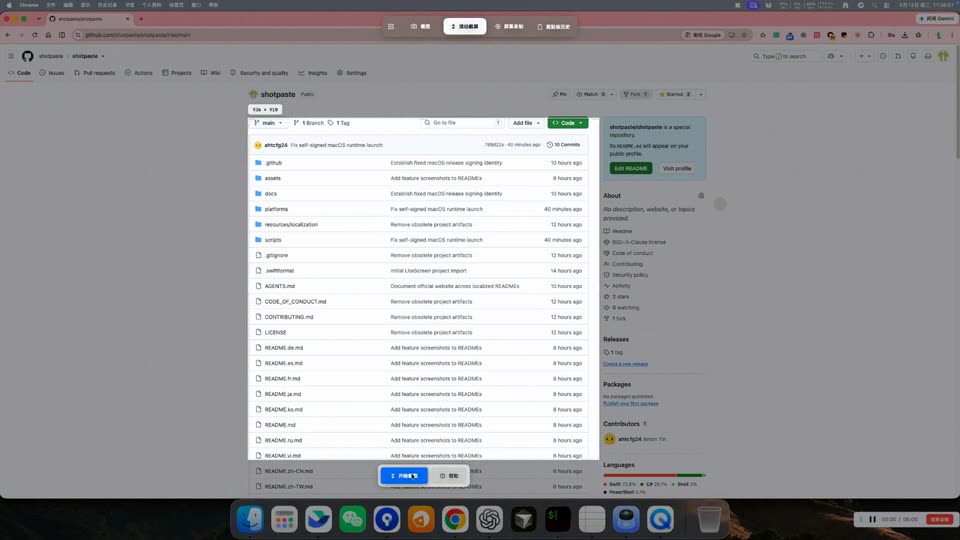
Scroll manually or automatically and preview as you go. Keep long pages, conversations and documents in one screenshot.
Extract text from screenshots on-device and copy the result without uploading the image.
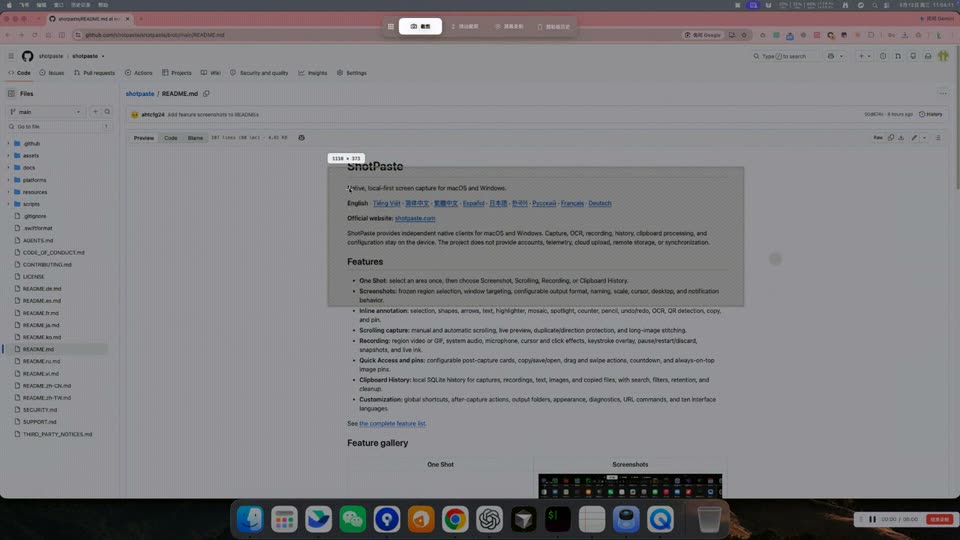
Capture a screen region, then annotate, copy, save, or pin the result.
Search and manage captures, recordings, and clipboard history on your device, with filters and retention rules.
Keep images above other windows; zoom, lock click-through, copy, save, or drag them out.
Record a region as GIF or MP4 with live annotation; MP4 supports system audio and microphone input. Audio-only recording, optional cloud transcription, and AI notes are also available.
Recent captures appear as small cards for copy, save, open, pin, or drag-out to another app.
Available in Simplified and Traditional Chinese, English, German, Spanish, French, Japanese, Korean, Russian, and Vietnamese.
Platform support
Each platform is released independently. Supported features may have different options and interfaces.
| Features | macOSv0.3.1 | Windowsv0.3.0 |
|---|---|---|
| Region screenshots / Scrolling capture / GIF / MP4 recording | Supported | Supported |
| OCR text extraction / Local history | Supported | Supported |
| URL Scheme automation | Supported | Supported |
| MCP protocol support | Supported | Supported |
| Agent mode, beyond screenshots | Experimental | Not yet supported |
| Screen translation | Supported | Supported |
macOS · Windows
Use shotpaste:// to start screenshots, scrolling capture, and recording; open history or settings; and control recordings.
macOS · Windows
An authenticated local MCP service lets compatible clients read status, start or cancel capture, open history and settings, and control recordings.
macOS · Experimental
Optional desktop tasks with start, stop, and activity history. Configure a model service and review data sharing and action permissions before use.
macOS · Windows
Both platforms use local OCR and send only text for translation. Windows translates a full screen or region into a result card without enabling Agent; macOS also offers in-place translation.
Windows has separate settings for LLM providers, AI transcription, and AI translation. Translation does not require Agent. AI features use services you configure.
Privacy
Capture, recording, annotation, and OCR run locally; history stays on your device. Optional cloud transcription sends selected audio to your configured speech service; AI notes send transcripts to your model service.
When you translate, recognized text is sent to your configured service. The screenshot is not included in translation requests.
Once enabled and configured, Agent can send screenshots and context to your model service according to your settings. Review what is shared first.
Download
On your phone? Download and use ShotPaste on a macOS or Windows computer.
Download the DMG, drag ShotPaste into Applications, then launch it. This release uses a project self-signed certificate. Read the installation guide and review capture permissions when prompted.
Download the DMG, drag ShotPaste into Applications, then launch it. This release uses a project self-signed certificate. Read the installation guide and review capture permissions when prompted.
Download the ZIP, extract it fully, and run ShotPaste. This release is not Authenticode-signed. Verify the source and read the installation guide.
ShotPaste is provided under BSD 3-Clause. Translation, transcription, AI notes, and Agent use your configured service, which may require an API key and charge its own fees. The download does not include third-party credits.
macOS 13+ (Apple Silicon) / macOS 13+ (Intel (x86_64)) / Windows 10 2004+ (x64). Each platform is released independently. Supported features may have different options and interfaces.
Capture & local OCR: Capture, recording, annotation, and OCR run locally; history stays on your device. Optional cloud transcription sends selected audio to your configured speech service; AI notes send transcripts to your model service.
Screen translation: When you translate, recognized text is sent to your configured service. The screenshot is not included in translation requests.
Optional Agent: Once enabled and configured, Agent can send screenshots and context to your model service according to your settings. Review what is shared first.